Business automation with Google Sheets, Apps Script and Excel
If your team spends hours copying data between sheets, chasing approvals or building the same report every week, that work can run by itself. Chilipi builds automations on the tools you already use, with simple forms and dashboards your staff can use without training.
What we build
- Google Sheets and Apps Script systems with simple web forms
- Excel scripts and spreadsheet automation
- Timesheets, rosters, approvals and email notifications
- Inventory, purchasing, billing and payment tracking
- Automatic PDFs, calendar bookings and customer updates
- Looker Studio dashboards and reports
- Browser extensions that remove repetitive clicks
Technologies we use Google Sheets · Apps Script · Looker Studio · Tailwind CSS · Google Calendar · Chrome extension · React · Supabase
Business automation: client work
Real projects, with what they changed for the client.

BVS Veterinary Clinic Workflow Automation
Saves the clinic more than 3 hours of admin every day

DatFriend Chrome Extension
Chrome extension sold to brokers as an $8/month subscription
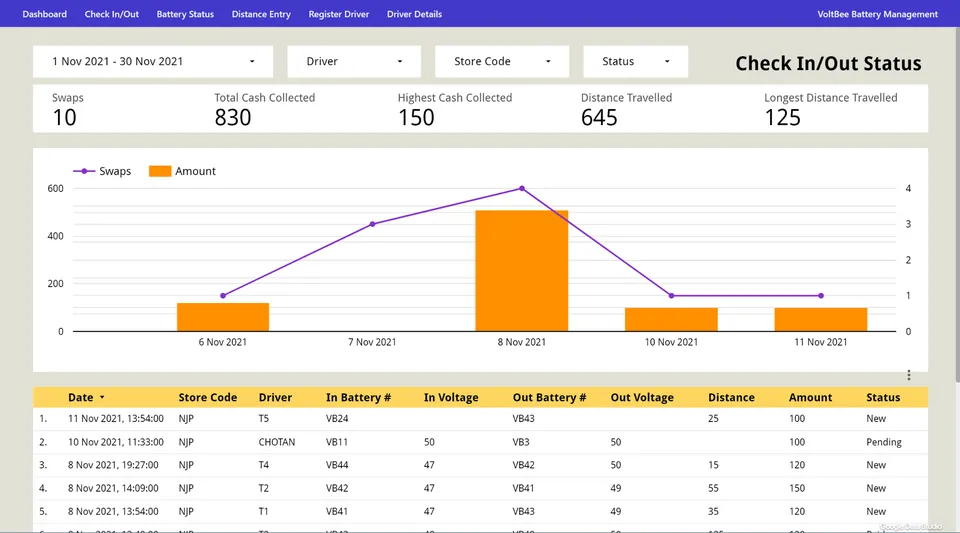
VoltBee Battery Tracking Automation
Accurate billing even though battery meters reset every day
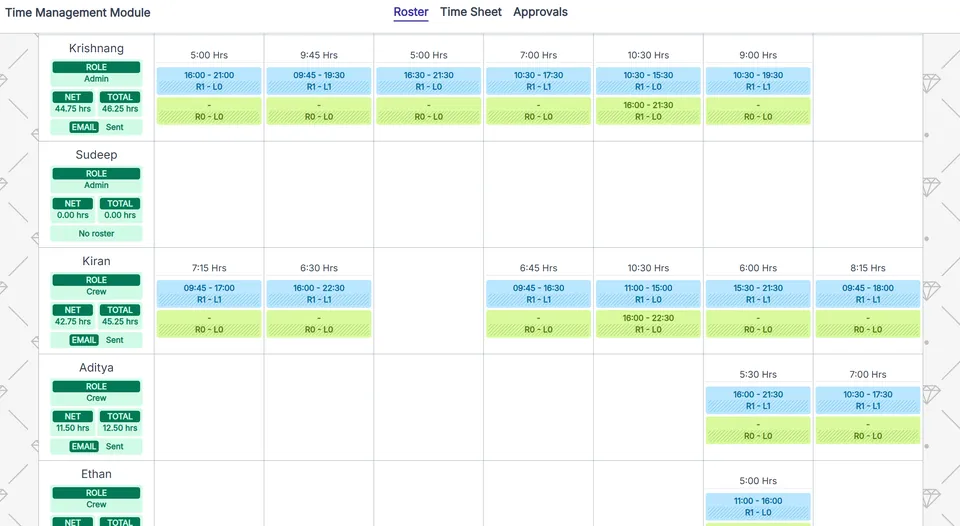
Pizza Club Employee Time Management System
Timesheets, rosters and approvals in one system
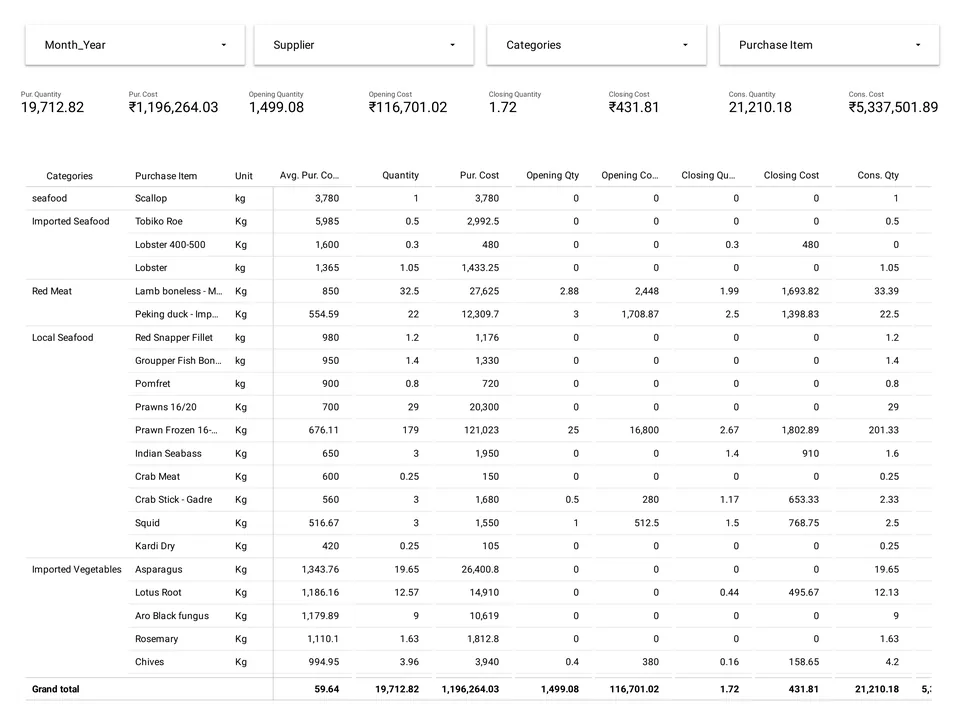
Tamak Restaurant Inventory Management Automation
Purchases, stock and payments tracked in one place
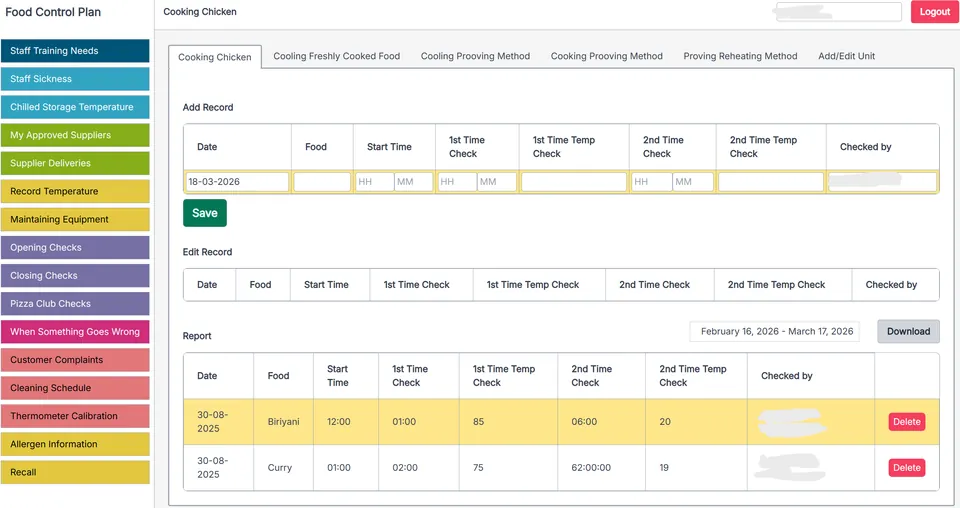
Pizza Club Council Documents Tracking System
Compliance logs and council documents kept in order
What clients say
★★★★★“Really skilled Google Apps Script developer. Solved my issues very easily.”
★★★★★“Excellent work in building Excel scripts. Quick and professional.”
How it works
- 01
Tell us what you need
Message us on WhatsApp or email. Describe the idea or the problem in plain words — no technical brief needed.
- 02
Get a clear plan
You get the scope, a timeline and the cost agreed up front, before any work starts.
- 03
See it take shape
Regular previews you can try yourself, with your feedback built in at every step.
- 04
Launch and grow
We help you launch — app stores, web or your team — and stay available for fixes and new features.
Questions people ask
Do I need to change the tools my team uses?
Usually not. Most automations are built on Google Sheets, Excel and Google Workspace, so your team keeps working where they already are.
What kind of work can be automated?
Anything repetitive: data entry, timesheets and approvals, stock and billing calculations, PDF documents, calendar bookings, reminders and reports.
Is it suitable for a small business?
Yes — these systems are built for restaurants, clinics and small operators, and run on low-cost tools you may already pay for.
How much does it cost?
It depends on what you need. Tell us about your project and you’ll get a clear scope, timeline and cost before any work starts.
I’m not technical. Can you still help?
Yes. Explain what you need in your own words and we take care of the technical side, explaining choices in plain language.
Other services
Have a project in mind?
Tell us what you need. You’ll get a clear plan, timeline and cost before any work starts.